The reception guide
Reception checks players in at the gate, renews subscriptions, adds players and follows registration requests.
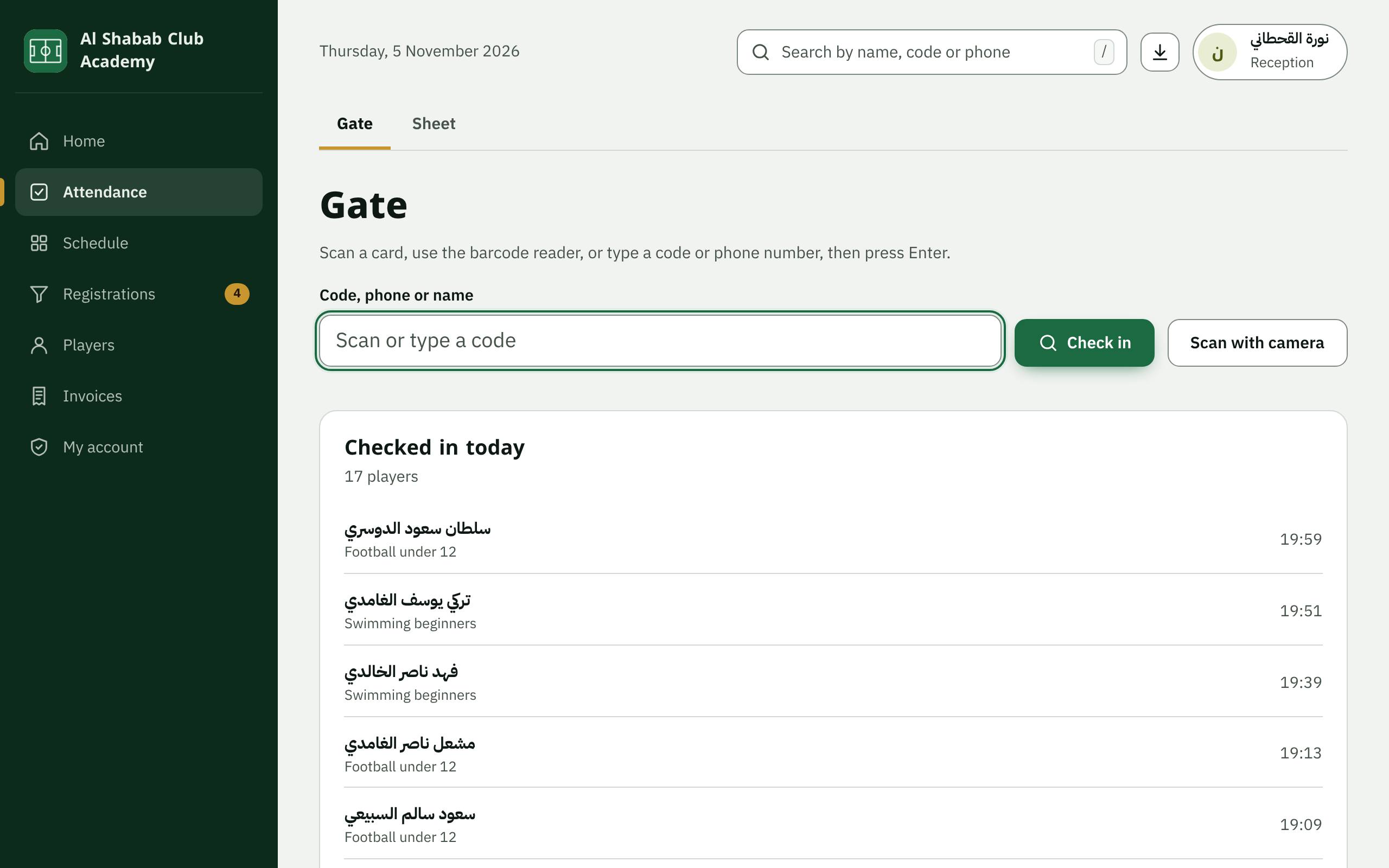
1. Open the gate
In Attendance, open the Gate tab. Type the player's code, their parent's mobile number or their name, then press Enter or Check in. A USB barcode reader works like a keyboard, and you can Scan with camera on a phone or tablet.
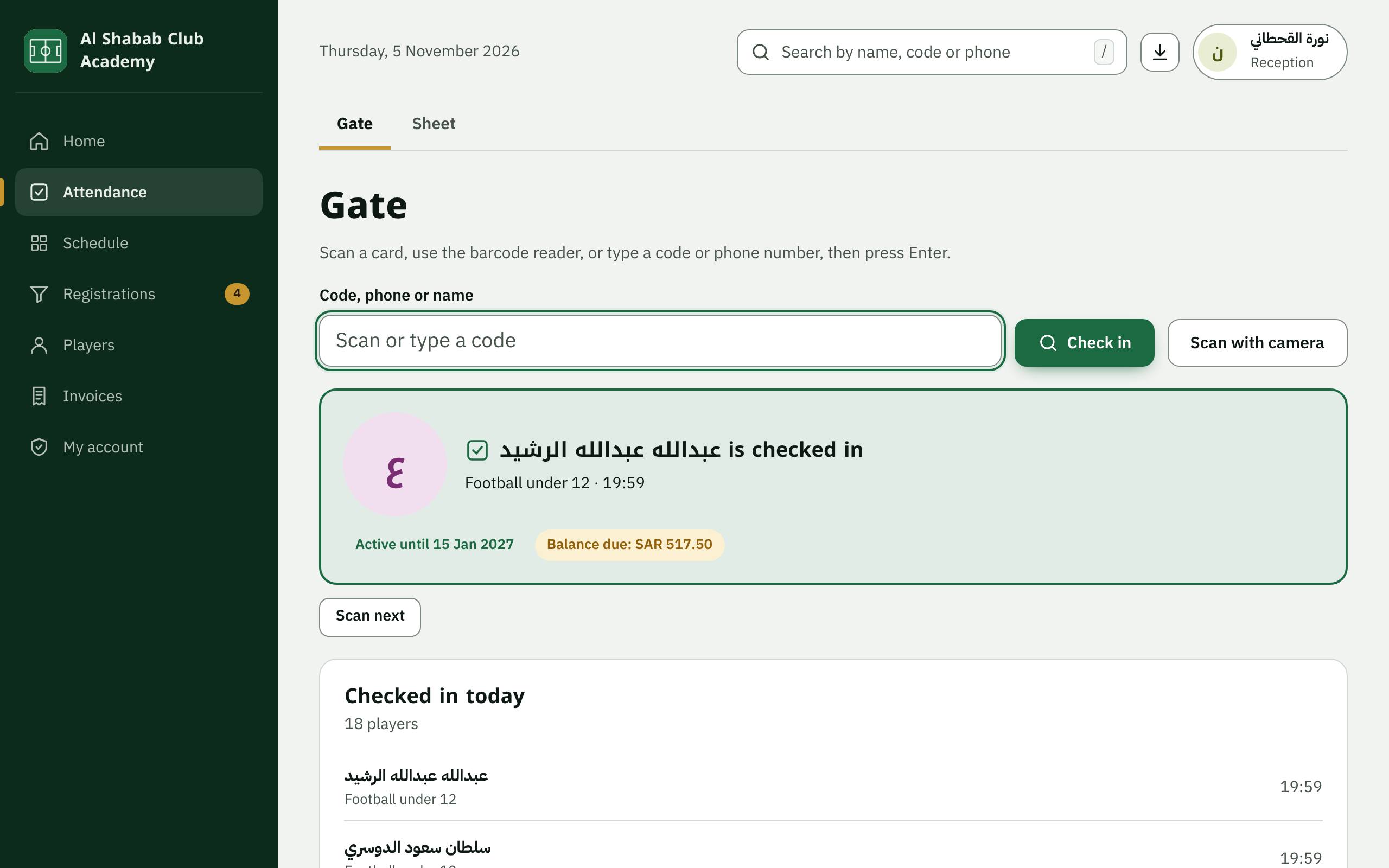
2. Checked in
A green card means the player is checked in, with the group, the time and the subscription's state. Names appear in the list of today's check-ins.
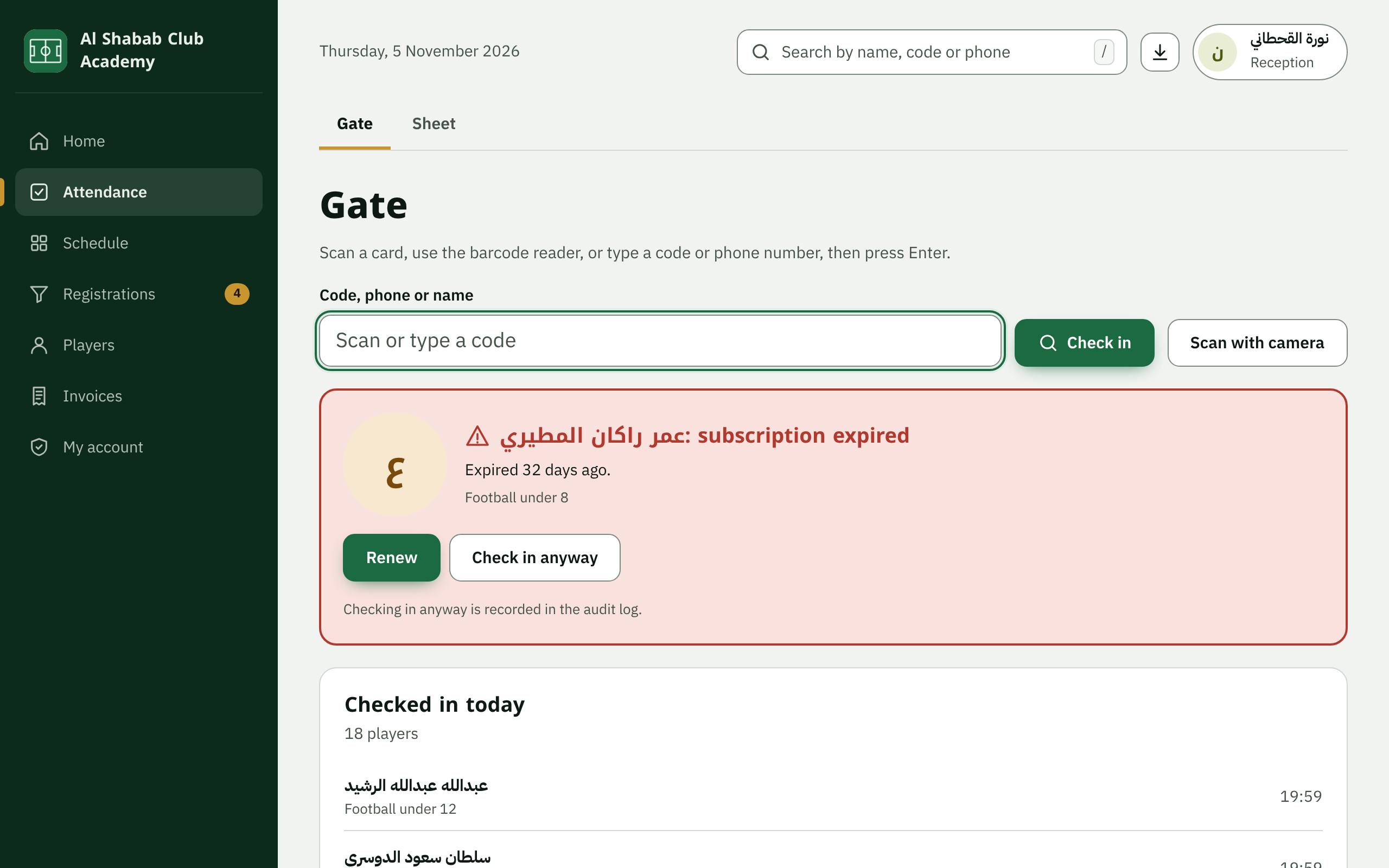
3. A subscription that has ended
A red card means the subscription has ended or there is none. Press Renew to issue the subscription invoice and take the payment; the player is then checked in. When you must, you can Check in anyway; it is recorded in the audit log.
4. Find a player or add one
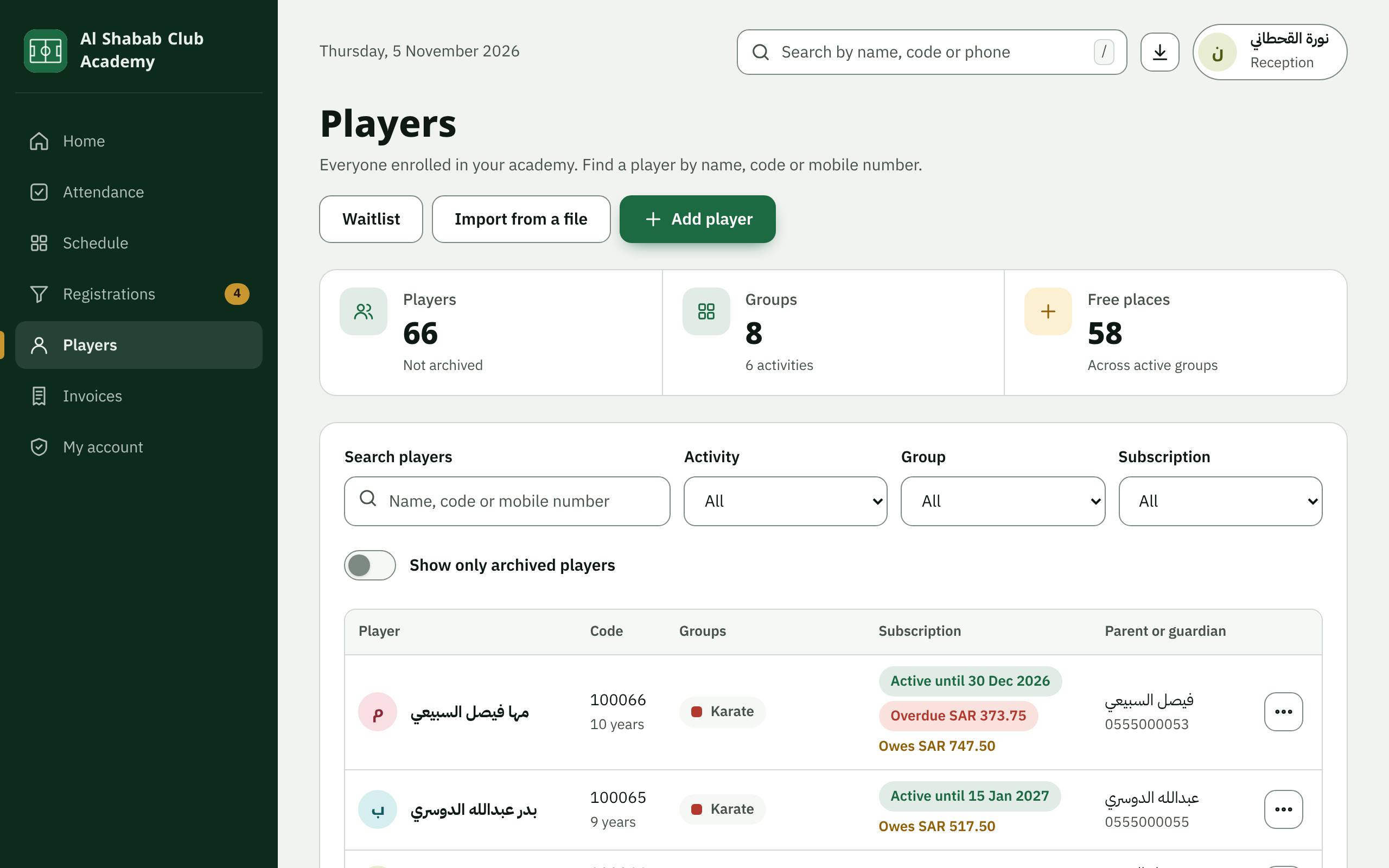
In Players you search by name, code or mobile number, and press Add player for a new child. Madar suggests a group that fits the child's age and offers the waiting list when the group is full.
5. A player's file
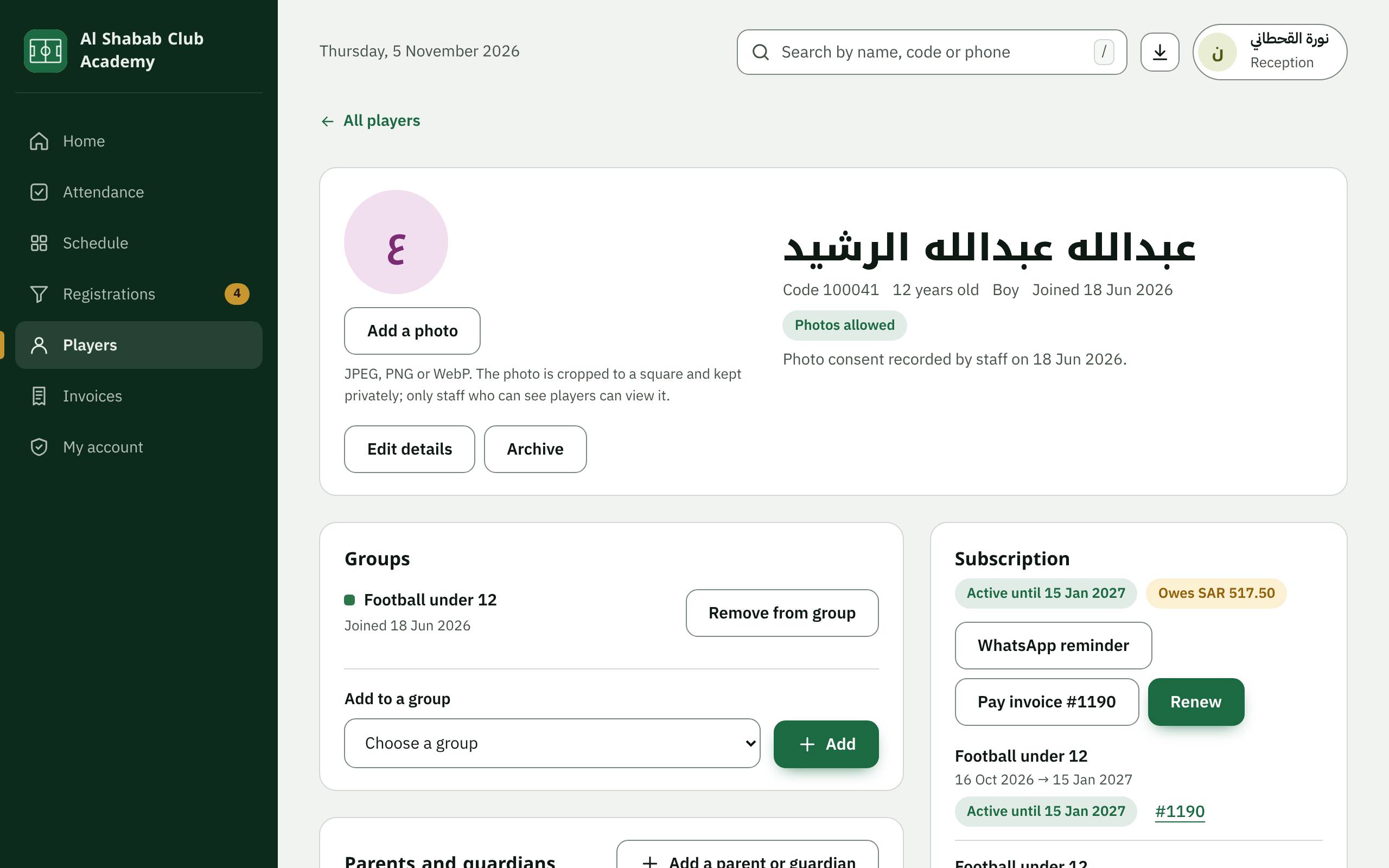
A player's file shows their groups, subscriptions, attendance, invoices and parents. From it you renew, send a WhatsApp reminder and create the Parent page link.
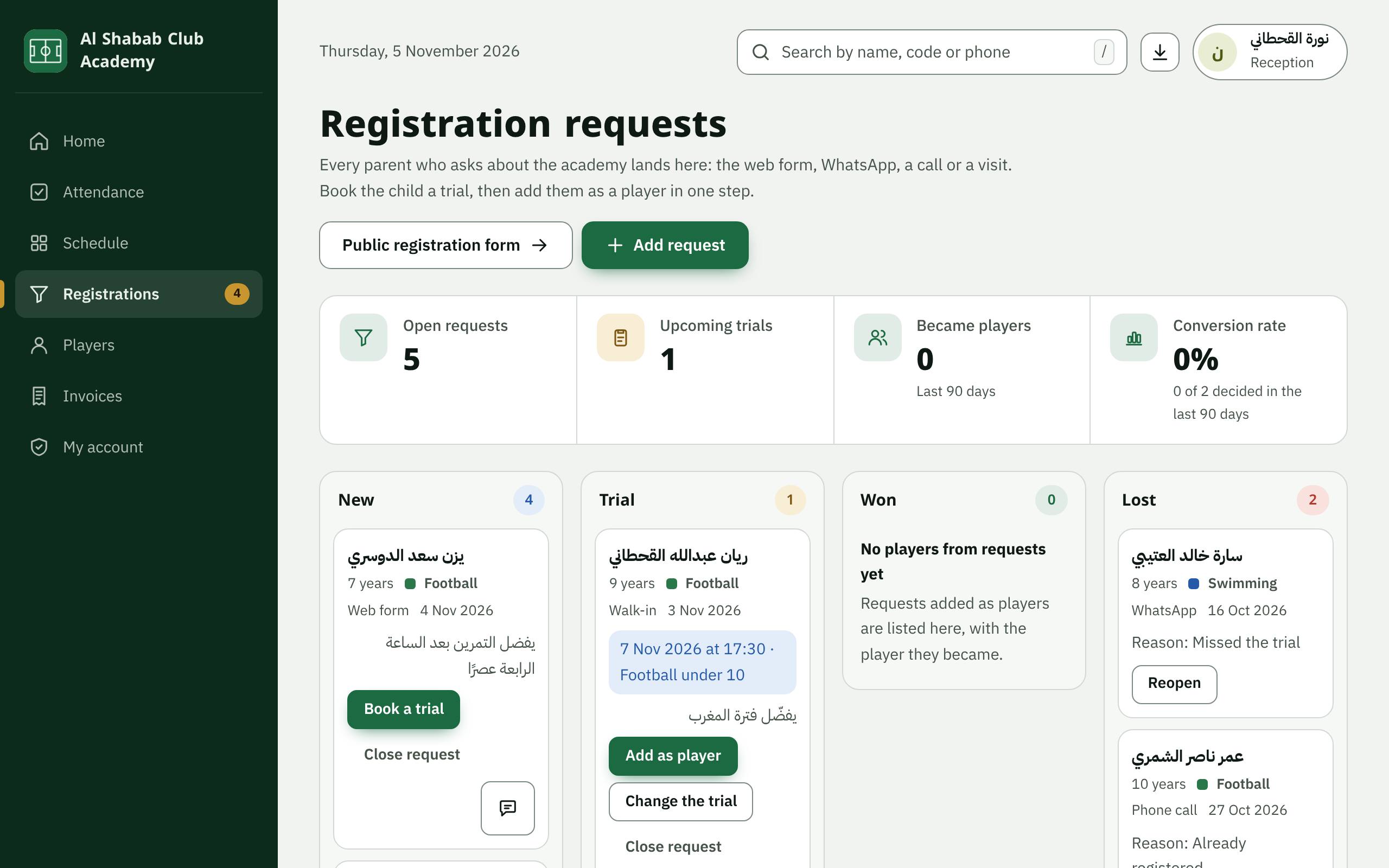
6. Registration requests and trials
In Registrations the public form's requests arrive, and you add calls and walk-ins with Add request. From each request: Book a trial, then Add as player when the child joins.